Making content
First up make sure you have read the guidelines first.
Editor
Both the tutorials and the articles are made using a markdown editor. See this cheat sheet for more information on markdown.
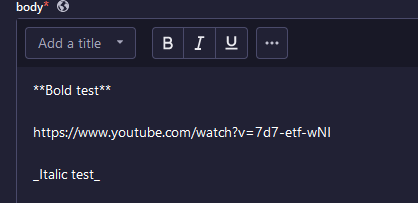
YouTube links are automatically embedded into the page as YouTube players, so you can have video in your tutorials if you wish.
In your content you can have code highlighting for the following languages by clicking on the code block icon and typing in the name of the language you are using.
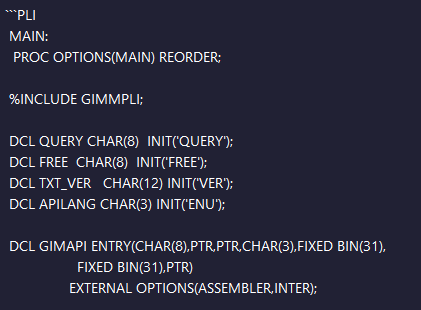
This is how the languages should be typed next to the code block inorder to work, note for PL/I it is pli and not pl/i:
Types of content
Tutorials are supposed to be primarily for learning. "How do I reserve a port on z/OS" is a good candidate for, but "Why docs-as-a-pipeline is better than older documentation methods" and "IBM launches Telum II" are not.
Articles are primarily supposed to be news and opinions, they can still have elements of learning but the goal is generally not to document a very specific scenario.
Thumbnails
It's recommended to use 1280 x 720, or images with 16x9 aspect ratio, for the tutorial and article thumbnails
Generating a URL
You can generate a URL based on the title of your content by pressing the circular arrow icon in the canonicalURL field 
Alternatively you can type in something yourself, however keep in mind that it should be descriptive and at least 16 characters long. Best practice for making them manually is to use hyphens between words and not underscores or by squishing words together.